
Invite members to your organization
Required roleOwnerAdmin
Published:2026-08-07 16:20/Updated:2026-08-07 16:26
Invite people by email address and role, and check or revoke invitations that have not been accepted yet.
Inviting your team to the same organization lets you share connections and data and operate together.
Sending an invitation
- Click [Invite Member] at the top right of organization settings.
- In the dialog, enter the email address and choose a role.
- Click [Send Invitation]. A confirmation message appears on success.
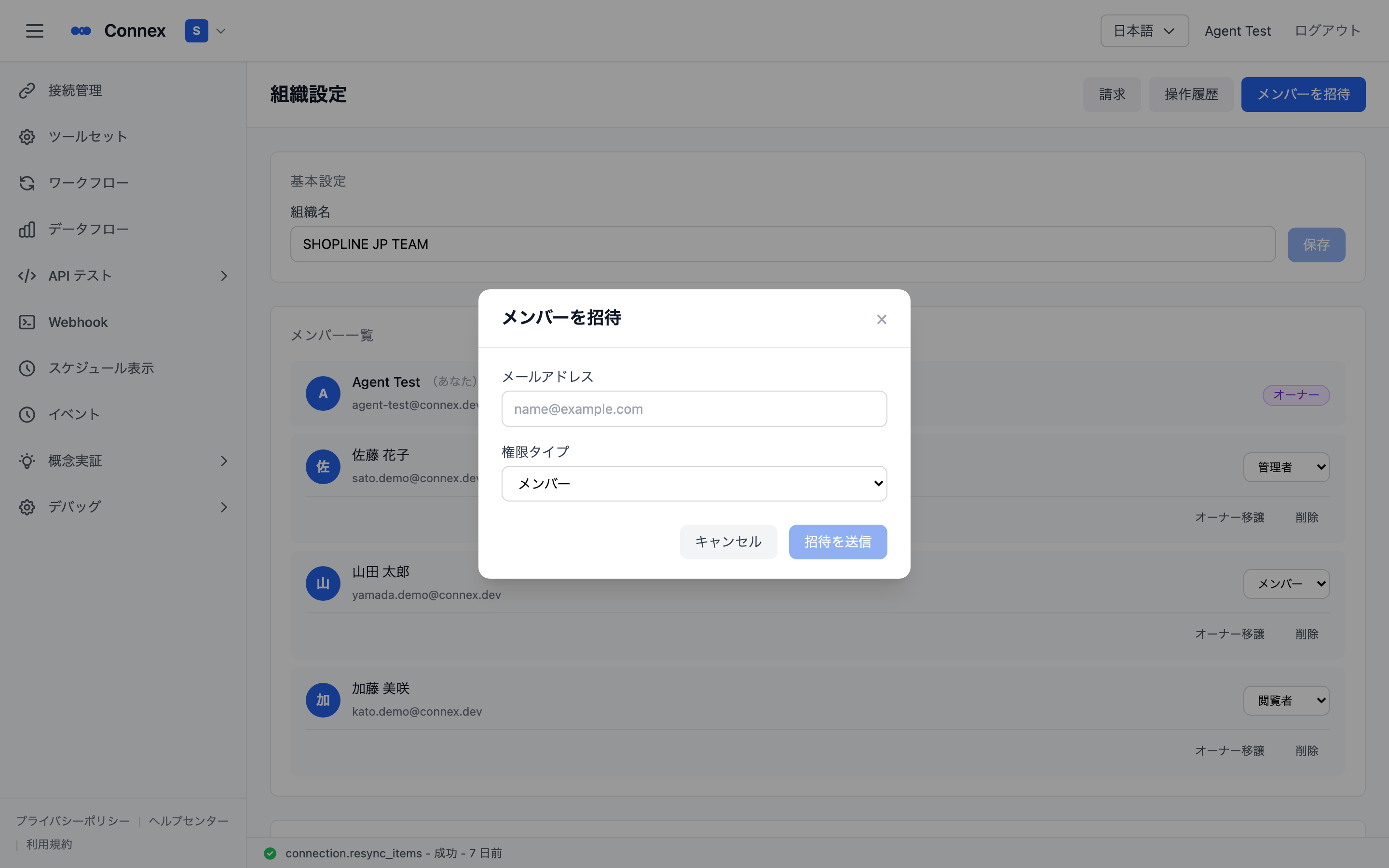
The invitee receives an email with an invitation link. The link expires after 7 days.
Checking and revoking pending invitations
Invitations that have been sent but not yet accepted appear under Pending Invitations in organization settings, with the email address, role and link expiry.
To revoke one, click [Revoke] on that invitation and then [Confirm] in the dialog.
![Pending invitations — email address, role, expiry and [Revoke]](https://api.connex.ortu.me/api/help/assets/3d5d670e96a37b87.png)
Was this article helpful?