
Roles and what each can do
Published:2026-08-07 16:20/Updated:2026-08-07 16:26
Connex has four roles — Owner, Admin, Member and Viewer — each with a different scope inside the organization.
What you can do inside an organization depends on your role. Connex has four.
| Role | Scope |
|---|---|
| Owner | The final administrator. The only role that can change membership and organization settings; one per organization. |
| Admin | Operations administrator. Can add and remove store connections, configure workflows and invite members. |
| Member | Day-to-day operator. Can run tools against existing connections, but cannot change connection or workflow settings. |
| Viewer | Read-only. Can view connections, tool settings and activity logs, but cannot run, create or change anything. |
Note
When inviting a member or changing someone's role, only Admin / Member / Viewer are offered. To make an existing member the owner, use Transfer ownership.
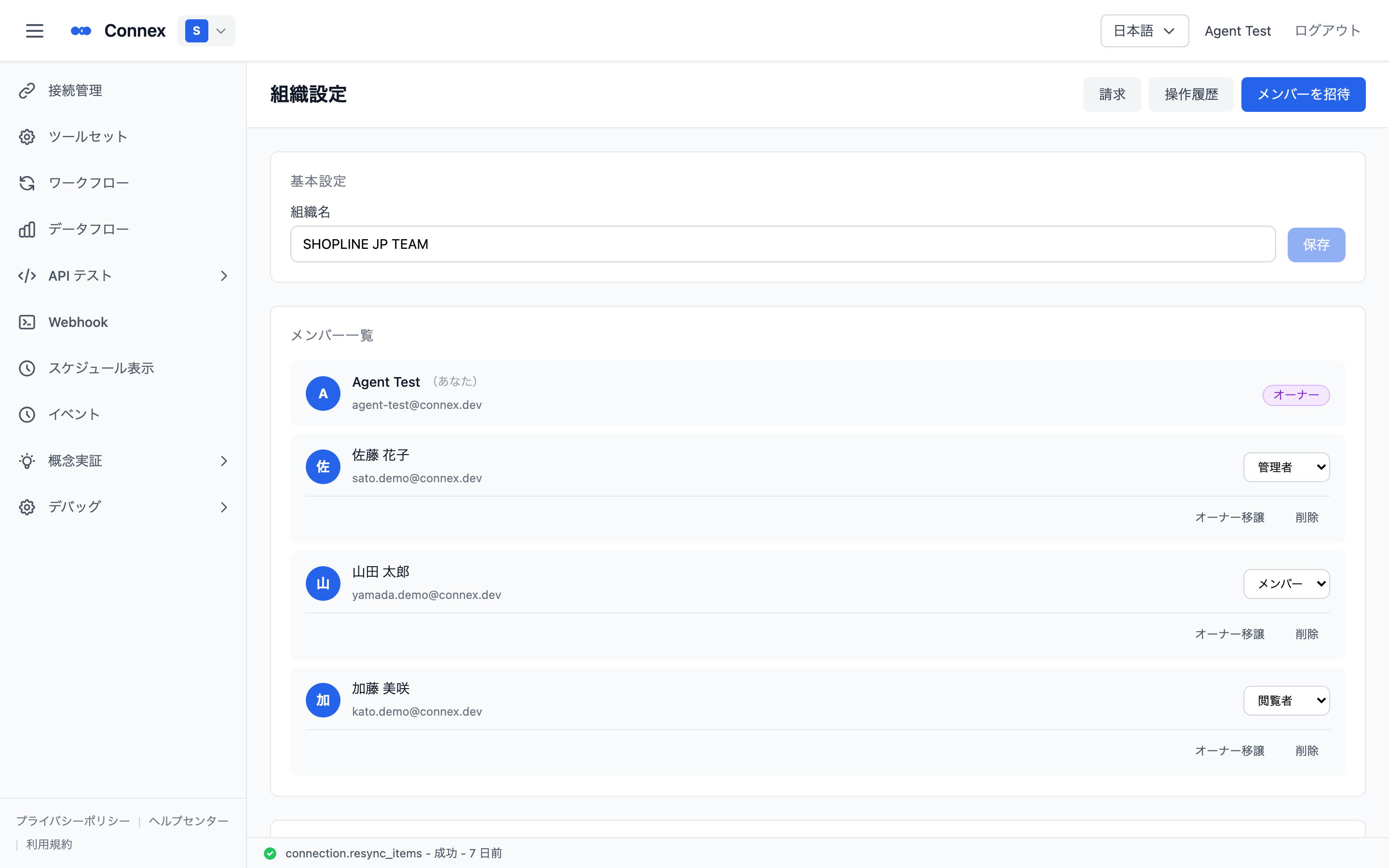
Viewing organization members
- Click [Organization Settings] at the bottom of the switcher.
- The member list shows everyone in the organization with their name, email address and role.
Was this article helpful?