
Switch between your personal account and an organization
Published:2026-08-07 16:20/Updated:2026-08-07 16:26
Connex accounts are personal by default. Once you are invited to an organization a switcher appears — this explains how to see which organizations you belong to and your role in each.
A Connex account is personal by default.
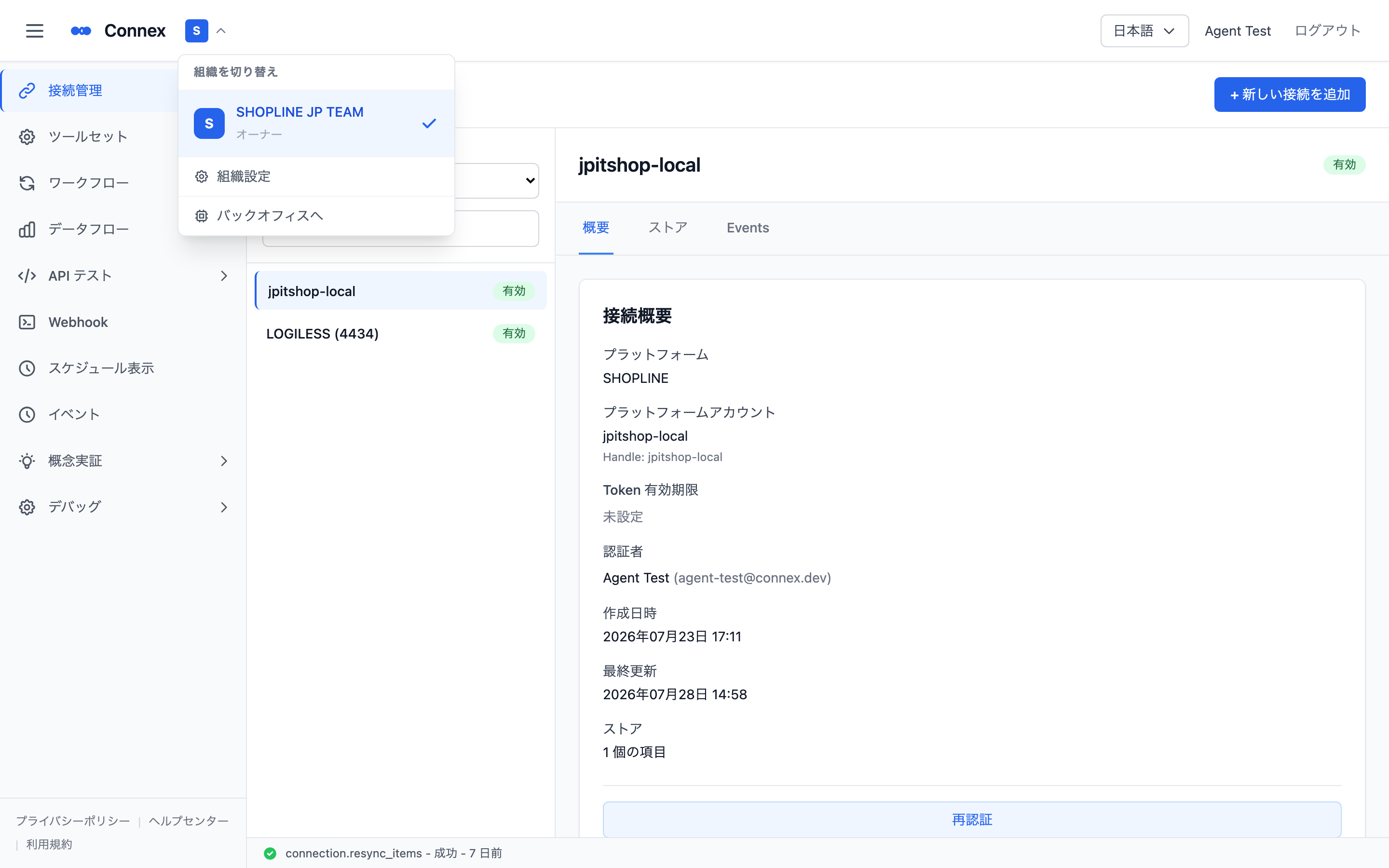
Once you are invited to an organization, an organization icon (the first letter of the organization name plus ▼) appears next to the Connex logo at the top of the screen. It lists the organizations you belong to and your role in each.
Caution
Connections, tool settings and execution logs are separate per organization. If you cannot find a connection, check that you are in the right organization first.
Was this article helpful?