
Delete a connection
Published:2026-08-07 16:20/Updated:2026-08-07 16:26
You can delete a connection you no longer need from its detail panel.
Warning
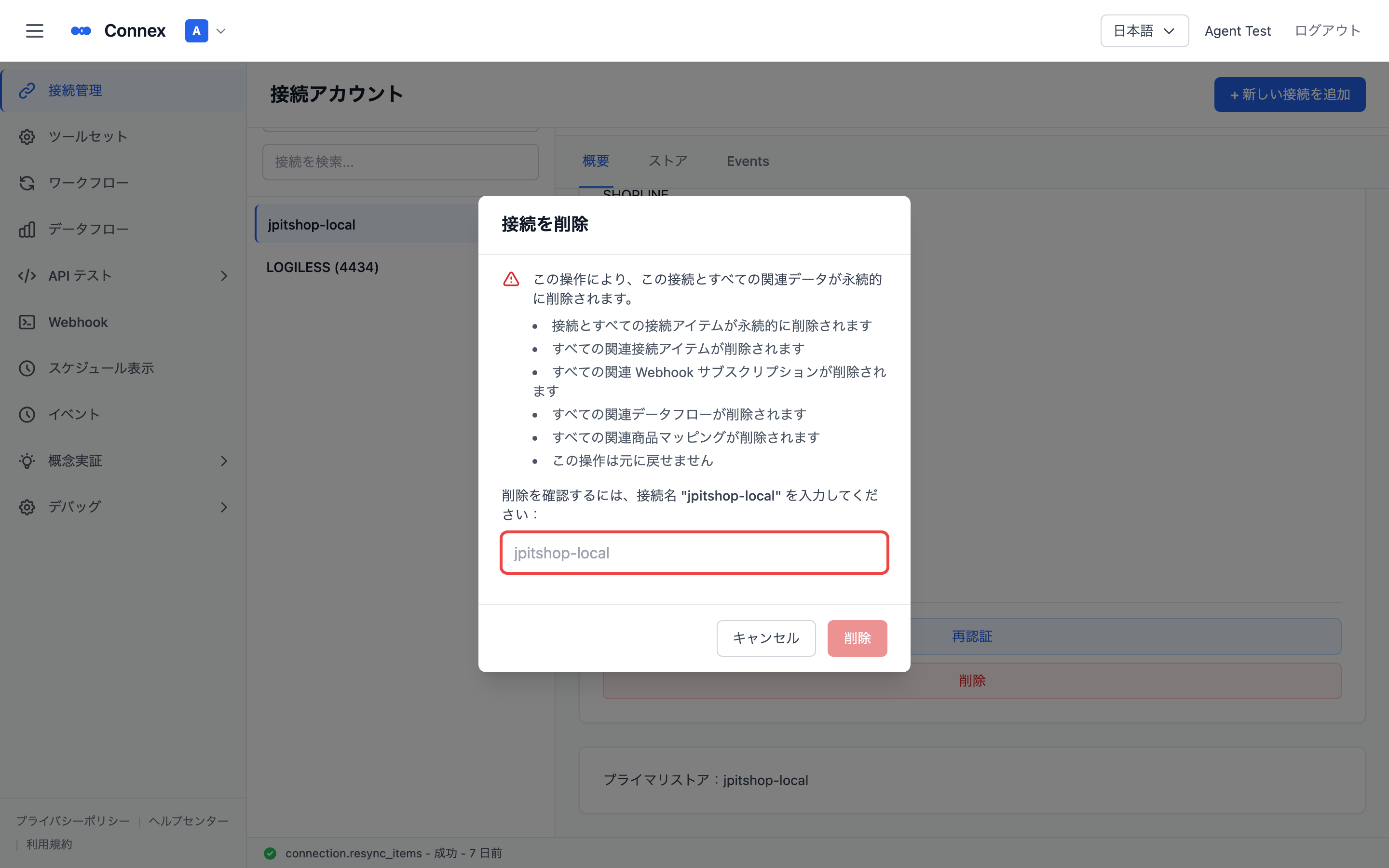
Deletion cannot be undone. Deleting a connection permanently removes it and all related data.
What gets deleted
- The connection and all of its connection items
- Related webhook subscriptions
- Related data flows
- Related product mappings
Steps
- Select the connection in [Connections].
- Click [Delete] in the detail panel.
- The delete dialog opens — review what will be affected.
- To confirm, type the connection name exactly as shown.
- Click [Delete].
Progress is shown while deleting; the connection disappears from the list when it finishes.
Note
A SHOPLINE store can only be managed by one organization. To move it, delete the connection in the current organization first, then create it again in the target organization.
Note
Deleting a connection that automatic sync uses also stops that sync. Check the impact before deleting a connection that is in use.
Was this article helpful?